
HP Projectors
Learn what to compare when choosing HP projectors, including size, native resolution, brightness, connections, and setup needs for different viewing spaces.
HP-branded projector models can differ in portability, picture quality, connectivity, and power requirements. Review each model’s specifications and availability before purchasing. Compare the features that matter for your viewing space and preferred entertainment setup.
Shop HP Projectors
Showing the single result
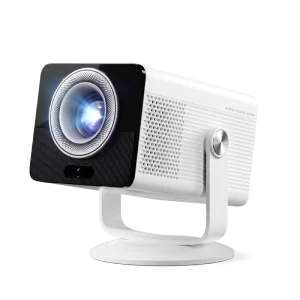
Explore More Projectors
HP Projectors for Different Viewing Needs
HP projectors can vary by model and intended use. When comparing HP-branded projectors, consider where you plan to watch movies, display videos, or use other compatible content. Room size, lighting, portability, and available connections all affect the viewing experience.
Always check the individual product listing rather than assuming every HP projector offers the same features.
How to Choose an HP Projector
Native resolution: Check the projector's actual display resolution. Support for a higher-resolution input does not necessarily mean the projector displays that resolution natively.
Brightness: Consider your viewing environment and compare clearly identified brightness measurements. Darker rooms generally provide better contrast.
Size and portability: Compare dimensions and weight if you plan to move the projector between rooms or take it with you.
Connectivity: Check available HDMI, USB, wireless casting, and streaming features for the specific model.
Power: Confirm whether the projector requires a wall outlet or supports another power source. Do not assume a built-in battery is included.
Check Setup and Compatibility Before Buying
Before choosing an HP projector, review its throw ratio, recommended projection distance, available inputs, and supported video sources. Make sure the projector suits your space and connects to the devices you plan to use.
Availability and specifications depend on the individual model. Always refer to the current product listing for accurate information.
HP Projector FAQs
Are HP projectors suitable for home entertainment?
Suitability depends on the model's resolution, brightness, sound options, and connectivity. Compare these details with your viewing environment before buying.
Do HP projectors have built-in batteries?
Battery support varies by model. Some projectors require external power, so check the stated power specifications.
Can I connect a phone to an HP projector?
Connection options depend on the projector and phone. Check for compatible wired connections or wireless casting support.
How can I check which HP projectors are available?
Check the product listings on this page for current availability. If no products are displayed, there are no models currently listed for purchase in this category.
For general setup guidance, visit our Projector FAQs.