
Google TV Projectors
Google TV projectors bring streaming apps and personalized recommendations to a big screen. Compare resolution, brightness, connectivity, and key features.
A Google TV projector combines projected entertainment with a smart streaming interface. Before choosing a model, confirm that Google TV is built in. Review app compatibility, native resolution, brightness, available connections, and setup requirements. Features and streaming service availability can vary by device and region.
Shop Google TV Projectors
Showing all 3 results
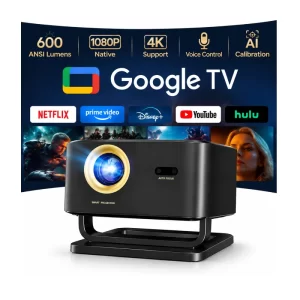
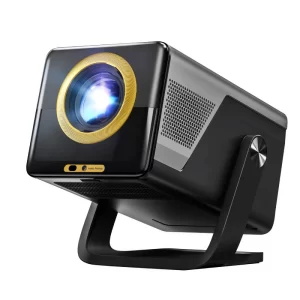
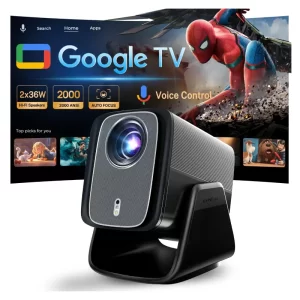
Explore More Projectors
What Is a Google TV Projector?
A Google TV projector combines projection hardware with the Google TV entertainment interface. It helps viewers discover movies and shows, access compatible streaming apps, and find content recommendations from supported services.
Google TV is a software experience, not a measure of projector image quality. Resolution, brightness, sound, and projection performance depend on the individual device.
Google TV vs. Other Smart Projectors
Google TV provides a content-focused interface built on Android TV OS. It brings together entertainment discovery, compatible apps, and personalized recommendations.
However, not every projector advertised as an Android or smart projector runs Google TV. Some models use different Android-based systems or proprietary interfaces. Check the operating system listed in the product specifications.
App compatibility and streaming features can also differ between devices. A projector with an HDMI port can connect to a compatible external streaming device, but this does not mean Google TV is built into the projector itself.
How to Choose a Google TV Projector
Native resolution: Compare the projector's actual display resolution. Support for 4K video input does not necessarily mean the projector has native 4K resolution.
Brightness: Consider your room lighting and viewing conditions. Compare measurements based on recognized standards such as ANSI or ISO lumens where available.
Streaming compatibility: Confirm which apps and services are supported by the specific model. Some services require subscriptions, and availability can vary by region.
Connectivity: Review Wi-Fi, Bluetooth, HDMI, USB, and casting capabilities according to the individual product specifications.
Projection setup: Check the throw ratio, recommended projection distance, screen size, and available image adjustment features.
Audio and power: Compare built-in speakers, external audio connections, and power requirements for your intended viewing space.
Google TV Projector FAQs
Is Google TV the same as Android TV?
Google TV is an entertainment interface built on Android TV OS. The user experience and content discovery features differ from the traditional Android TV interface. A projector described only as Android-based does not necessarily include Google TV.
Do Google TV projectors support Netflix and other streaming apps?
App availability depends on the specific device, region, and service provider. Check the individual projector's supported apps and certification information before buying. Some services may require separate subscriptions.
Do I need Wi-Fi to use a Google TV projector?
An internet connection is generally needed for online streaming, app downloads, and personalized recommendations. Compatible external video sources may work without Wi-Fi, depending on the projector's available inputs.
Does Google TV mean a projector supports native 4K?
No. Google TV describes the smart entertainment experience, not the projector's native display resolution. Check the individual model's specifications to confirm whether it displays 720p, 1080p, or native 4K images.
For more information about projector setup and connectivity, visit our Projector FAQs.